Choosing the right Bluetooth adapter for your PC can transform your wireless experience, but navigating the sea of options can be daunting. The critical factors to consider are latency and range, which directly impact how seamlessly your devices communicate.
Understanding Latency
Latency, often measured in milliseconds, refers to the delay before data begins to transfer. For activities that demand real-time performance, like gaming or video conferencing, lower latency is crucial. A high-quality Bluetooth adapter can significantly reduce lag, ensuring that every keystroke and sound effect reaches your headphones or speakers without delay.
Look for adapters that support the latest Bluetooth versions, as they typically offer enhancements that minimize latency. Adapters compliant with Bluetooth 5.0 or higher are particularly advantageous, boasting improved data transfer rates and reduced delays.
Importance of Range
Range is another vital consideration. The last thing you want is to be tethered to your PC while trying to enjoy the freedom of wireless connectivity. Bluetooth technology generally offers a range of up to 30 feet, but this can vary based on the adapter’s specifications and the environment in which it operates. Obstacles like walls and electronic interference can diminish this range.
When selecting an adapter, check for features like Class 1 Bluetooth, which can extend the range significantly compared to Class 2 devices. This allows for greater flexibility in where you can use your devices without losing connection.
Compatibility Matters
Compatibility is essential; ensure the adapter you choose works seamlessly with your operating system. Most adapters support multiple platforms, but double-checking compatibility with your specific version of Windows or macOS can save you from future headaches. Some adapters even come with user-friendly drivers that make installation a breeze, letting you dive into your wireless experience without unnecessary delays.
Consider Your Use Case
Considering your specific use case can also guide your decision. If you plan to connect multiple devices—like a headset, keyboard, and mouse—opt for an adapter that can handle multiple connections simultaneously without sacrificing performance. This ensures a smooth, uninterrupted experience as you switch between devices.
Conclusion
Ultimately, investing in a high-quality Bluetooth adapter pays off with enhanced performance, stability, and range. By prioritizing low latency and optimal range, you can unlock the full potential of your Bluetooth devices, whether you’re gaming, working, or simply enjoying your favorite tunes. Don’t settle for less; choose a Bluetooth adapter that elevates your PC experience to new heights.
Related products
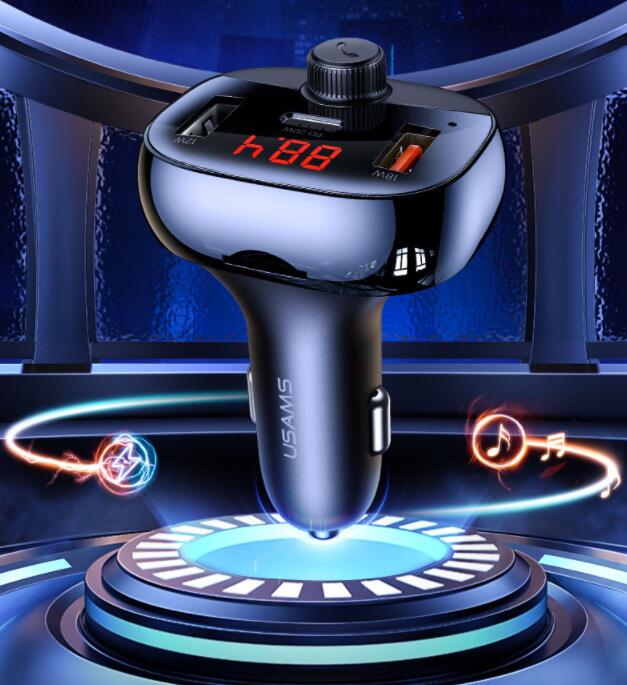
Bluetooth Car Receiver with Hands-Free Functionality & Cigarette Lighter Adapter
Bluetooth 5.0 Receiver Transmitter – Car Aux Audio Adapter for Wireless Streaming
High-Quality 30PIN Bluetooth 5.0 Music Receiver with Extended Range and Superior Sound Quality