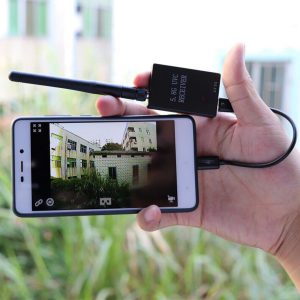
Connecting devices and expanding the functionality of your Android device has never been easier, thanks to the On-The-Go (OTG) feature. This powerful tool allows you to connect USB peripherals directly to your Android smartphone or tablet, opening up a world of possibilities. Whether you want to transfer files, use external storage, or even connect a game controller, OTG has got you covered. Here’s a simple setup guide to help you harness the power of OTG on your Android device.
Check OTG Support
First, ensure your Android device supports OTG functionality. Most modern smartphones and tablets do, but it’s always best to double-check. You can find this information in your device’s specifications or through a quick online search.
Gather Your Equipment
Once you confirm OTG support, the next step is to gather your equipment. You’ll need:
- An OTG adapter or cable, which typically features a USB-A connector on one end and a micro USB or USB-C connector on the other, depending on your device.
Connecting Your Devices
Now that you have your OTG adapter, plug it into your Android device. It’s as simple as connecting any other accessory. Next, connect the USB device you wish to use, such as:
- A flash drive
- A keyboard
- A mouse
You should see a notification pop up, indicating that your device has recognized the connection. If you’re using a flash drive, for instance, you can access its contents via the file manager app on your Android device. This seamless integration means you can transfer files, edit documents, or even watch movies stored on your USB drive without a hitch.
Enhancing Your Gaming Experience
For gamers, OTG opens up exciting opportunities. Imagine playing your favorite mobile games with a console-style controller for enhanced precision and comfort. Simply connect your compatible game controller via the OTG adapter, and you’re ready to take your gaming experience to the next level. This feature is perfect for those who crave a more immersive gaming experience on their mobile devices.
Versatility of OTG
The versatility of OTG doesn’t stop there. You can also connect:
- External hard drives for additional storage
- USB microphones for high-quality audio recording
- USB hubs to manage multiple devices simultaneously
The possibilities are endless! This feature allows you to transform your Android device into a powerful tool for productivity, entertainment, and creativity.
Conclusion
To summarize, using OTG on your Android device is straightforward and immensely beneficial. By following this simple setup guide, you can unlock a range of functionalities that enhance your device’s capabilities. Don’t miss out on the chance to make the most of your Android experience—grab an OTG adapter today and explore the endless possibilities that await you!
Related products
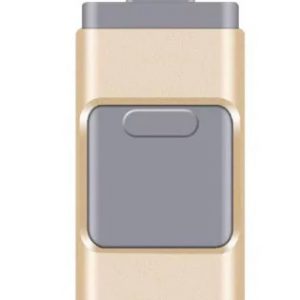
Compatible Apple Android Mobile OTG Three-in-One USB Flash Drive
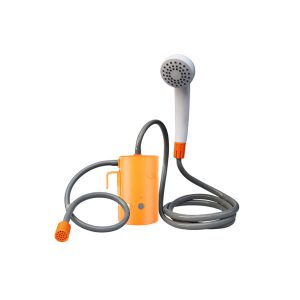
Portable Electric Shower for Student Dormitories – Simple Charging Bath Solution for Rental Homes and Rural Use
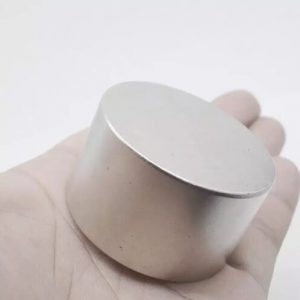
Stylish Round NdFeB Magnets for Household Use – Simple and Fashionable