Choosing the right storage solution for your backups can feel like navigating a labyrinth of options. When it comes to Solid State Drives (SSDs) and Hard Disk Drives (HDDs), both have unique strengths that cater to different needs. Understanding these differences will empower you to make a choice that best suits your data backup strategy.
SSDs: Speed and Durability
SSDs, known for their lightning-fast read and write speeds, provide a seamless experience when it comes to backing up and retrieving data. Imagine transferring large files in mere seconds, saving you valuable time and effort. Their lack of moving parts not only enhances speed but also increases durability, making them less prone to mechanical failure. This resilience is crucial for users who prioritize reliability and speed, especially in professional environments where every second counts.
HDDs: Cost-Effectiveness and Capacity
On the other hand, HDDs offer a compelling advantage in terms of cost-effectiveness. For those who require large storage capacities without breaking the bank, HDDs are hard to beat. They provide ample space for massive data collections, such as:
- Media libraries
- Archives
- Extensive project files
If you’re looking to store terabytes of data while keeping your budget intact, HDDs deliver a satisfying solution.
Energy Efficiency
Consider also the energy efficiency aspect. SSDs consume less power than HDDs, making them a better choice for mobile devices and laptops where battery life is a priority. This efficiency translates into not just longer usage periods between charges, but also lower energy bills for those using these drives in desktop setups.
Data Security
One cannot overlook the importance of data security in today’s world. Both SSDs and HDDs can be encrypted to safeguard your information, but SSDs often come equipped with advanced security features that make them a preferred choice for sensitive data storage. Their faster performance also allows for quicker encryption processes, ensuring your backups are not just swift but also secure.
Choosing the Right Solution
As you weigh your options, think about the nature of your data. If you frequently access or modify files, the speed and durability of an SSD will enhance your workflow and keep you productive. Alternatively, if you’re archiving data that you don’t need to access regularly, an HDD may serve you just fine while offering substantial savings.
Conclusion
Ultimately, the choice between SSDs and HDDs for backups depends on your specific needs. If speed, durability, and energy efficiency are paramount, an SSD is the clear winner. However, if capacity and cost are your primary concerns, an HDD stands tall as a reliable option.
Investing in the right backup solution is crucial for protecting your data, and understanding the strengths of each technology will help you make an informed decision. Whether you choose the speed of an SSD or the capacity of an HDD, ensure that your backups are secure, reliable, and tailored to your lifestyle. Your data deserves nothing less.
Related products

Full Network Connectivity Dual Screen Flip Cover for Elderly Backup Machine
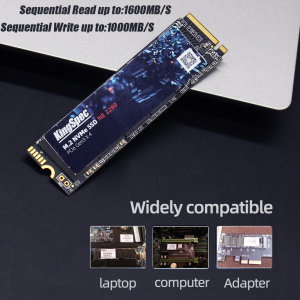
High-Performance Internal M.2 SSD Laptop Hard Drive Storage Solutions
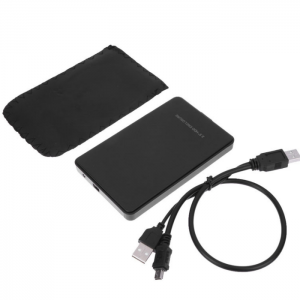
USB 2.0 2.5 Inch IDE Hard Disk Drive HDD External Case – Enhance Your Storage Solutions