Cleaning your keyboard and mouse doesn’t have to be a daunting task. In fact, with the right approach, you can ensure these essential tools remain in top-notch condition without risking damage. Whether you’re a gamer, a remote worker, or just someone who spends hours typing away, keeping your equipment clean can enhance performance and longevity.
Gathering Supplies
First, gather the right supplies. You’ll need:
- A microfiber cloth
- Isopropyl alcohol (at least 70% concentration)
- Cotton swabs
- A can of compressed air
These items are gentle yet effective in removing dirt and grime while protecting your devices from scratches and moisture damage.
Cleaning Your Keyboard
Start with your keyboard. Turn it upside down and gently shake it to dislodge any crumbs or debris that might have settled between the keys. Follow this with the compressed air, which will blow away any stubborn particles. This quick step can dramatically improve the hygiene of your keyboard without a single wipe.
Next, dampen the microfiber cloth with the isopropyl alcohol. Avoid soaking it; you want it just moist enough to clean without dripping. Wipe down the keys and the surface of the keyboard, making sure to get into those crevices. The alcohol evaporates quickly, ensuring that moisture doesn’t seep into the electronics. For the more intricate areas, use a cotton swab dipped in alcohol to reach tight spots.
Cleaning Your Mouse
Now, let’s move on to your mouse. Like the keyboard, start by turning it off to prevent any accidental clicks or movements. A quick blast of compressed air will remove dust and debris from the sensor and crevices. For the surface, use the same microfiber cloth method. Wipe down the buttons and the body, being careful around the scroll wheel and sensor area.
Final Steps
After cleaning, allow your devices to dry completely before reconnecting them. This step is crucial in preventing any moisture-related damage.
Regular Maintenance
Incorporating regular cleanings into your routine can significantly extend the life of your keyboard and mouse. Not only do clean devices perform better, but they also contribute to a healthier workspace, reducing the risk of germs that accumulate from everyday use.
Professional Cleaning Services
For those who prefer a more thorough cleaning solution, consider investing in a professional service that specializes in electronics cleaning. They utilize specialized equipment and techniques to ensure your devices are cleaned safely and effectively.
Conclusion
By following these simple steps, you can maintain a clean and efficient workspace. A clean keyboard and mouse not only enhance your productivity but also elevate your overall experience. Don’t let dirt and grime slow you down—give your devices the care they deserve!
Related products
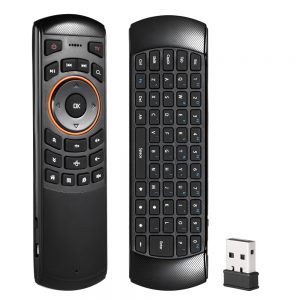
Docooler Mini 2.4GHz Wireless QWERTY Keyboard Air Mouse Remote Control with 6 Axis Gyroscope for Mini PC and TV Box

Notebook Computer Mouse Keyboard Hub – Versatile USB Hub for Seamless Connectivity

MX3 MX3-L Backlit Air Mouse T3 Smart Voice Remote Control – 2.4G RF Wireless Keyboard for X96 mini, KM9, A95X, H96 MAX Android TV Box