Finding the right time-tracking tool can feel like searching for a needle in a haystack, especially for freelancers juggling multiple projects. The right tool not only enhances productivity but also ensures accurate billing and project management. Here’s how to navigate this essential choice and discover simple options that meet your needs.
Identify Your Requirements
First, identify your primary requirements. Are you looking for basic time tracking, or do you need advanced features like project management, invoicing, or reporting? Understanding your needs sets the foundation for making an informed decision. For instance, if you often work on various projects simultaneously, a tool that offers project categorization can help you keep track of your time more effectively.
User-Friendliness
Next, consider user-friendliness. A time-tracking tool should simplify your workflow, not complicate it. Look for intuitive interfaces that allow you to start tracking time with just a few clicks. Tools like Toggl and Harvest stand out for their straightforward designs, making them accessible even for those who may not be tech-savvy. With easy navigation, you can focus more on your work rather than wrestling with software.
Integration Capabilities
Integration capabilities are another vital aspect. Ensure that the tool can seamlessly connect with other applications you frequently use, such as:
- Project management software
- Accounting tools
- Calendar apps
This integration will streamline your workflow, allowing you to manage all aspects of your freelance business from one central hub. Tools like Clockify offer robust integrations that enhance functionality and save time.
Mobile Accessibility
Don’t overlook the importance of mobile accessibility. As a freelancer, you might find yourself working from various locations. A time-tracking tool with a mobile app ensures you can log your hours on the go. This flexibility is invaluable for keeping accurate records, whether you’re at a coffee shop or working from home.
Pricing Considerations
Pricing is often a deciding factor, especially for freelancers who may be operating on tight budgets. Look for tools that offer:
- Free trials
- Affordable subscription plans
Many excellent options, such as RescueTime and Harvest, provide free versions with essential features, allowing you to test them before committing financially.
Customer Support and Community
Finally, consider customer support and community. A responsive support team can make a significant difference when you encounter issues or have questions. Additionally, a vibrant user community can provide insights and tips, enhancing your overall experience. Be sure to explore reviews and user testimonials to gauge the level of support provided.
Conclusion
Choosing the right time-tracking tool is crucial for any freelancer aiming for efficiency and success. By assessing your needs, prioritizing user-friendliness, ensuring integration capabilities, valuing mobile access, and considering budget constraints, you can find a simple yet effective solution that enhances your workflow. Embrace the right tool, and watch your productivity soar!
Related products
Ultra-Slim Anti-Loss Alarm Device for Pet Tracking – Essential Tool
Wireless GPS Vehicle Locator for Real-Time Tracking and Security
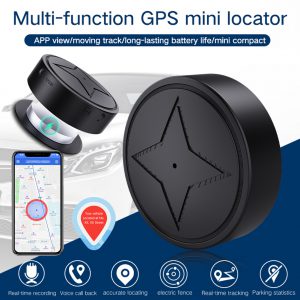
Mini GPS Tracker with Strong Magnetic Mount for Car, Motorcycle & Truck – Real-time Vehicle Tracking Locator & Anti-Lost Solution