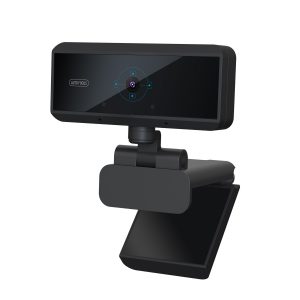
Selecting the perfect webcam can transform your video calling experience from mediocre to magnificent. Whether you’re attending a business meeting, catching up with family, or streaming your gaming sessions, having the right features is essential. Autofocus and low-light performance are two critical aspects that can make or break your visual quality. Let’s dive into how you can choose the ideal webcam that meets your needs.
Key Features to Consider
Autofocus
Autofocus is a game changer. Imagine being in the middle of an important presentation when your camera fails to keep you sharp and clear. A webcam with reliable autofocus technology ensures that you remain the focal point, even if you move around a bit. This feature is particularly beneficial for dynamic environments where you might shift your position or show items up close to the camera. Look for webcams that boast advanced autofocus systems, which can quickly adjust to keep you in focus without any annoying delays.
Low-Light Performance
Low-light performance is equally vital, especially if you’re working from home in a dimly lit room or during late-night calls. A webcam with superior low-light capabilities will adapt to various lighting conditions, providing a clear and vibrant image even when the lights are low. This is not just a luxury; it’s a necessity for maintaining professionalism and clarity in your video calls. Seek out models that feature larger sensors and advanced image processing technologies to ensure you look your best, regardless of the lighting situation.
Recommended Models
When evaluating specific products, consider the following:
- Logitech C920: Renowned for its exceptional autofocus and low-light performance, making it a favorite among professionals and streamers alike.
- Razer Kiyo: Stands out with its built-in ring light, perfect for illuminating your face in darker settings.
These webcams combine functionality with quality, ensuring that you are always seen in the best light—literally!
Additional Considerations
Resolution and Frame Rate
Don’t underestimate the importance of resolution and frame rate either. A webcam that offers 1080p resolution at 30 frames per second will deliver crisp, fluid video quality that enhances your overall experience. This is especially important for those who want to leave a lasting impression during video interviews or presentations. Higher resolution translates to better clarity, allowing your audience to see every detail.
Connectivity Options
Lastly, consider your connectivity options. USB webcams are typically the most user-friendly, ensuring a quick plug-and-play setup. Look for models that are compatible with popular video conferencing platforms such as Zoom, Microsoft Teams, or Skype, to ensure a seamless integration into your routine.
Conclusion
Choosing the right webcam isn’t just about picking a random model off the shelf. By prioritizing autofocus, low-light performance, resolution, and ease of use, you can elevate your video call experience. Invest in a webcam that meets these criteria, and you’ll never have to worry about being out of focus or appearing washed out again. Your virtual interactions deserve to be as engaging and professional as possible—make the right choice today!
Related products
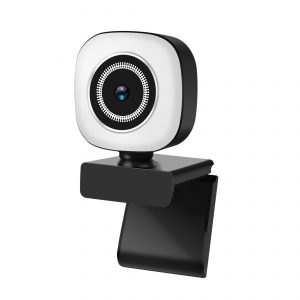
New Private Model 4K Live Broadcast Beauty Light USB HD Webcam for Computer Video
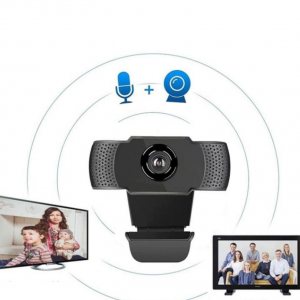
1080P2K HD USB Webcam for Video Conferences – Drive-Free Computer Use
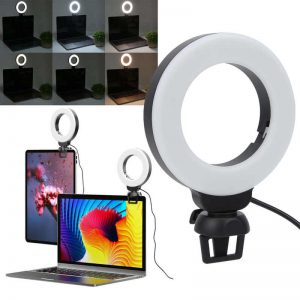
Video Conference 4 Inch LED Fill Light for Live Photography – Dimmable USB Powered Ring Light with Phone Holder for Selfies and Streaming