
Navigating the world of USB-C laptop charging can feel like wandering through a maze, especially with the plethora of products on the market. Understanding what works and what doesn’t is essential for anyone looking to maximize their charging efficiency and ensure their devices are powered up when they need it most.
Understanding USB-C Charging
USB-C has revolutionized the way we charge our laptops, offering faster speeds and universal compatibility. The beauty of USB-C lies in its versatility; one cable can power your laptop, transfer data, and connect to displays. But not all USB-C chargers are created equal. Selecting the right one can mean the difference between a quick power boost and a frustrating wait.
Choosing the Right Charger
First and foremost, ensure your charger matches your laptop’s power requirements. Laptops come with specific wattage needs, and using a charger with insufficient output can lead to slow charging or, worse, no charging at all. For example, if your laptop requires 65 watts and you plug in a 30-watt charger, you might find yourself struggling to keep up with your daily tasks. Always check the manufacturer’s specifications to find a compatible charger that meets or exceeds your laptop’s requirements.
Importance of Quality Cables
Moreover, the quality of the cable you use is just as crucial. A high-quality USB-C cable not only ensures efficient power delivery but also enhances data transfer speeds. Investing in a certified cable from reputable brands guarantees that you won’t encounter issues like overheating or slow charging, which can be common with subpar options. Look for cables that support Power Delivery (PD) technology, as they are designed to deliver higher power levels safely.
Charging Speed Considerations
Another aspect to consider is the charging speed. While USB-C can theoretically support charging up to 100 watts, many chargers on the market fall short. If you’re looking for a quick charge, aim for a charger that offers fast charging capabilities. Brands like Anker and RAVPower have built a reputation for providing reliable, high-speed chargers that can get your laptop back to full power in no time.
Portable Charging Solutions
For those on the go, portable chargers and power banks equipped with USB-C output are fantastic solutions. They allow you to charge your laptop without being tethered to an outlet. However, ensure that these power banks also meet the wattage requirements of your laptop to avoid any power shortage frustrations during crucial moments.
Managing Connected Devices
Lastly, be cautious of the peripherals you connect. Some devices, like external monitors and docking stations, can draw power from your laptop’s USB-C port. While this feature is convenient, it can also lead to increased power consumption and potentially slow down your laptop’s charging rate. Always keep an eye on how many devices you have connected to avoid overloading your laptop’s power supply.
Conclusion
In summary, mastering USB-C laptop charging involves understanding your laptop’s power needs, choosing the right cables and chargers, and being mindful of connected devices. By following these guidelines, you can ensure that your laptop stays charged and ready for action. With the right tools in hand, you’ll never have to worry about running out of battery again. Empower yourself with knowledge and make your USB-C charging experience seamless and efficient!
Related products
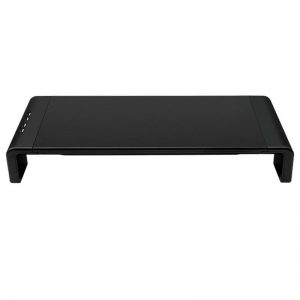
Foldable Table with Raised Frame, USB Charging, and Laptop Monitor Compatibility

Pet Nail Piercing Device with LED, Dual Speed Control, USB Charging & Low Noise

Rechargeable LED Pet Collar with Glowing Lights – USB Charging