When your USB-C cable fails to deliver the fast charging experience you expect, it can be frustrating and leave you wondering what went wrong. There are several common culprits behind this issue, and understanding them can help you optimize your charging experience.
Understanding USB-C Cable Limitations
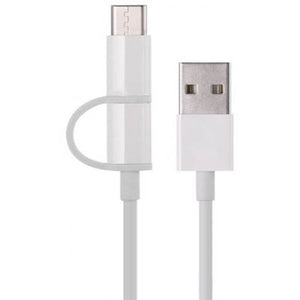
First and foremost, not all USB-C cables are created equal. Many cables on the market today are designed for data transfer rather than fast charging. If your cable lacks the necessary specifications, it simply won’t be able to carry the higher voltage needed for fast charging. Look for cables that are explicitly labeled as fast charging or USB Power Delivery (PD) compatible to ensure you’re getting the performance you need.
Power Source Matters
Another factor to consider is the power source. If you’re using a low-wattage charger, it might not be capable of delivering the necessary power to your device for fast charging. To truly harness the potential of fast charging, pair your USB-C cable with a high-wattage charger. Investing in a quality charger can make a world of difference in charging speed and efficiency.
Inspect Your Cable
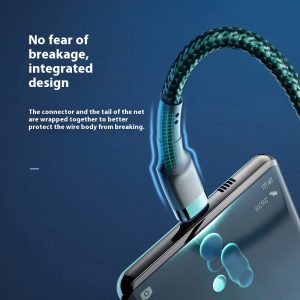
Additionally, check for any physical damage to your cable. Frayed wires or bent connectors can impede the flow of electricity, resulting in slower charging times. Regularly inspect your USB-C cables for signs of wear and tear, and don’t hesitate to replace them when necessary. Opting for durable, high-quality cables can save you from frequent replacements and ensure consistent performance.
Device Compatibility
Device compatibility is another critical aspect. Not all devices support fast charging, even if the cable and charger do. Check your device’s specifications to confirm whether it supports fast charging technology. If it doesn’t, you’ll need to manage your expectations accordingly and accept that standard charging speeds will apply.
Software Settings
Lastly, software settings can also play a role in charging performance. Ensure that your device’s software is up to date, as manufacturers often release updates that improve charging efficiency and compatibility with various chargers and cables.
Conclusion
In summary, if your USB-C cable isn’t fast charging, consider the following factors:
- Quality of the cable
- Capabilities of your charger
- Condition of your cable
- Device compatibility
- Software updates
By addressing these factors, you can unlock the full potential of fast charging and enjoy a more efficient charging experience. Don’t settle for slow charging—invest in the right tools and knowledge to power up quickly and effectively.